### Key Takeaways
The WordPress 7.1 deprecated functions and hooks registry lists every `_deprecated_function` and `_deprecated_hook` added in this release. Convert it into a living PHPUnit test that runs in your CI pipeline. This stops fatal errors before users see them, and it replaces manual greps with automated checks and strategic refactoring patterns.
## The Hidden Cost of Waiting for Errors
Seeing a fatal error about a missing function after a WordPress update triggers immediate panic. Your site breaks, users bounce, and SEO rankings dip. The real damage is not just the downtime. It is the slow erosion of trust with your users and your team.
Developers often treat deprecation notices as low priority. However, each ignored `_deprecated_function` call is a ticking time bomb waiting for the next major release. Furthermore, the longer you wait, the harder the migration becomes, because new code piles on top of outdated calls.
Read our earlier breakdown of the [WordPress 7.1 deprecated functions and hooks registry](https://hadezuka.dev/stop-fatal-errors-the-ultimate-wordpress-7-1-deprecated-functions-hooks-registry/) to understand the full scope of what changed.
## Why the Registry Becomes Your Safety Net
WordPress 7.1 introduced an official registry listing every `_deprecated_function` and `_deprecated_hook` added in this release. Most developers treat this as a static document to grep once. That approach fails for three reasons:
– **Manual checks miss new deprecations** added in future point releases
– **Grep patterns grow complex** as the registry expands across versions
– **Human error creeps in** during late night debugging sessions
Consequently, the smarter move transforms this registry from a static page into machine readable fuel for your automated test suite. In other words, you stop searching for problems and start letting your pipeline surface them automatically.

*Automating deprecated function detection saves hours of manual code review*
## Building Your Automated Deprecation Check
Start by converting the registry into a simple JSON array. You can scrape the [WordPress developer handbook](https://developer.wordpress.org/) or use the raw data bundled with WordPress core. Here is a starter structure:
“`php
// deprecated-registry.json
[
{ “function”: “_deprecated_function_get_blog_option”, “version”: “7.1”, “replacement”: “get_blog_option” },
{ “hook”: “_deprecated_hook_old_action”, “version”: “7.1”, “replacement”: “new_action_hook” }
]
“`
Next, write a PHPUnit test that scans your codebase against this data. The test recursively walks your plugin directory, reads every PHP file, and fails loudly if a deprecated symbol appears:
“`php
public function test_no_deprecated_calls() {
$registry = json_decode(
file_get_contents( __DIR__ . ‘/deprecated-registry.json' ),
true
);
$files = new RecursiveIteratorIterator(
new RecursiveDirectoryIterator( plugin_dir_path( __FILE__ ) )
);
foreach ( $files as $file ) {
if ( ! $file->isFile() ) {
continue;
}
if ( ! str_ends_with( $file->getFilename(), ‘.php' ) ) {
continue;
}
$content = file_get_contents( $file->getRealPath() );
foreach ( $registry as $item ) {
if ( ! empty( $item[‘function'] ) && str_contains( $content, $item[‘function'] ) ) {
$this->fail(
“Deprecated function {$item[‘function']} found in {$file->getFilename()}”
);
}
if ( ! empty( $item[‘hook'] ) && str_contains( $content, $item[‘hook'] ) ) {
$this->fail(
“Deprecated hook {$item[‘hook']} found in {$file->getFilename()}”
);
}
}
}
$this->assertTrue( true );
}
“`
Run this test on every pull request. Your CI pipeline will fail loudly when deprecated calls appear, therefore giving you instant feedback before code reaches production.

*Running automated scans against the deprecation registry catches issues before deployment*
## Refactoring Strategies: From Grep to Graceful Migration
Finding deprecated calls is only half the battle. Replacing them requires a pattern that keeps your plugin working across WordPress versions, especially if you support older installs.
### The Wrapper Technique
Instead of ripping out old code immediately, wrap it in a version check. This approach prevents fatal errors while you gradually update all instances:
“`php
if ( function_exists( ‘_deprecated_function_get_blog_option' ) ) {
// Safe to call the deprecated function on older WP.
return _deprecated_function_get_blog_option( $id );
}
return get_blog_option( $id ); // Modern WP 7.1+
“`
Pair every wrapper with a todo comment so your team knows when to remove it:
“`php
// @todo Remove wrapper after WP 6.9 EOL.
“`
Meanwhile, track these wrappers in your issue tracker. Consequently, when the old version drops below your support floor, you can delete the wrapper and ship a cleaner release.

*GitHub Actions workflow automating WordPress compatibility checks on every pull request*
## Expert Insight: The Header Comment Technique
Most teams waste time rediscovering the same deprecated calls during each audit cycle. There is a better way. When you fix a deprecated function, add a header comment above the replacement:
“`php
/**
* @deprecated 7.1 Use get_blog_option instead.
* @see https://developer.wordpress.org/reference/functions/get_blog_option/
*/
function legacy_blog_option_helper() {
_deprecated_function( __FUNCTION__, ‘7.1', ‘get_blog_option' );
// … shimmed logic here …
}
“`
Then run a monthly script that extracts these comments and generates an internal deprecation report. Over time, you build a living changelog that shows exactly what has been migrated and what still needs work.
In contrast, teams that skip this step end up re auditing the same files every quarter. Similarly, a living changelog helps new contributors understand the migration history without digging through git blame.
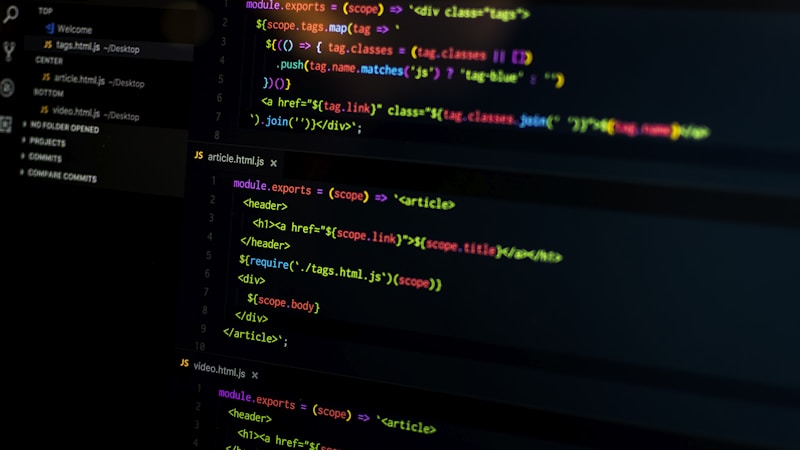
*Visual diff showing deprecated function replaced with modern WordPress API equivalent*
## Putting It All Together: CI Pipeline Example
Here is how the full workflow looks in a [GitHub Actions](https://docs.github.com/en/actions) configuration. This setup runs on every pull request and blocks merges that introduce deprecated calls:
“`yaml
name: WordPress Deprecation Check
on: [pull_request]
jobs:
scan:
runs-on: ubuntu-latest
steps:
– uses: actions/checkout@v3
– name: Setup PHP
uses: shivammathur/setup-php@v2
with:
php-version: ‘8.2'
– name: Install dependencies
run: composer install
– name: Run Deprecation Test
run: vendor/bin/phpunit –filter test_no_deprecated_calls
“`
This workflow catches deprecated calls before they reach main, therefore saving you from emergency hotfixes and keeping your release cycle smooth.
For a broader look at how CI habits protect your codebase, see our [supply chain security guide for WordPress plugins](https://hadezuka.dev/supply-chain-security-for-wordpress-plugins-protect-your-site-today/).
## FAQ
**What happens if a deprecated function has no replacement?**
Some internal helpers are marked as internal use only in the registry. Avoid calling them directly. Instead, rely on the public WordPress APIs listed in the developer handbook.
**Does this test slow down my suite?**
The scan adds minimal overhead. For a typical plugin, expect under two seconds of extra runtime. You can optimize further by caching the registry JSON between runs.
**Should I scan the vendor folder?**
Exclude third party libraries unless you control them. Focus on your own code where you can actually apply fixes.
Ready to keep your WordPress projects error free? Subscribe for more deep dives into plugin and theme development.