


So here's the thing nobody's really talking about about Rockstar's upcoming open world behemoth: GTA 6 isn't just another game. It's a storage monster that will eat your console alive if you haven't prepared.
Leaked internal documents, industry analysis from trusted sources, and the sheer scale of Vice City's map all point to one uncomfortable truth: your current console storage setup is not ready. If you're still running a stock PS5 or Xbox Series X without proper storage prep, you're looking at a painful launch day experience.
Why GTA 6 Storage Is Different
Let's be clear: we're not talking about another 100GB Call of Duty install. GTA 6 represents a paradigm shift in console game sizing, and here's why.
The map is genuinely massive. Rockstar confirmed a return to Vice City, but expanded. Not just the original map reskinned. We're looking at a living, breathing open world that reportedly spans more ground than GTA 5's three-city setup combined. Every building, every NPC, every dynamic weather system needs assets on your drive.
Audio fidelity changed the equation. Rockstar invested heavily in spatial audio. Analysis suggests the audio data alone could account for 20-30GB of the total install size.
Next-gen physics demand more. From destructible environments to improved vehicle physics, everything takes more storage than the last generation.
What We Actually Know About GTA 6 Storage Requirements
Here's where it gets interesting. Rockstar hasn't officially confirmed the final install size, but we can make very educated guesses based on what we know.
Estimated Storage Requirements by Platform
Based on industry analysis and leaked development notes, here's what you should expect:
- PS5 Digital Edition: Minimum 150-200GB recommended
- PS5 Standard: Same as above, but you're also managing your game library on the same drive
- Xbox Series X: Similar 150-200GB range
- Xbox Series S: Potentially optimized to 120-150GB due to lower resolution target
These numbers assume a Day 1 patch that could add another 10-20GB on top of the base install.
The Most Common Mistake Console Owners Make
I see this mistake everywhere, and it's going to hurt a lot of people come launch:
Relying on external hard drives for game storage.
Here's the cold hard truth: external HDDs cannot run PS5 or Xbox Series X games natively. They can store them, sure. But you'll need to move the entire 150+GB installation to your internal SSD every single time you want to play. That's potentially 30-45 minutes of file transfer before you even launch the game.
Nobody has time for that nonsense on launch day when you just want to jump into Vice City.
The SSD Solution: What Actually Works
OK enough doom and gloom. Here's what you actually need to do to prepare, ranked by what matters most.
Step 1: Check Your Available Storage NOW
Seriously. Open your storage settings right now. If you have less than 250GB free on your PS5 or Xbox Series X, you have work to do before GTA 6 launches.
Step 2: Get an Internal NVMe SSD (Not Just Any SSD)
Not all SSDs are created equal for consoles. Here's what to look for:
- Interface: PCIe 4.0 NVMe (not SATA, not PCIe 3.0 if you can avoid it)
- Speed: Minimum 5,500MB/s read speed for PS5
- Capacity: 1TB minimum, 2TB if you have the budget
- Form factor: M.2 2280 (standard size for both consoles)
Some reliable options that won't break the bank: the Sabrent Rocket 4 Plus, WD Black SN850X, and Seagate FireCuda 530. All hit the required speeds and come in 1-2TB configurations.
Step 3: Install It Properly (Yes, There's a Right Way)
Both PS5 and Xbox Series X/S have user-replaceable SSD slots. It's not as scary as it sounds:
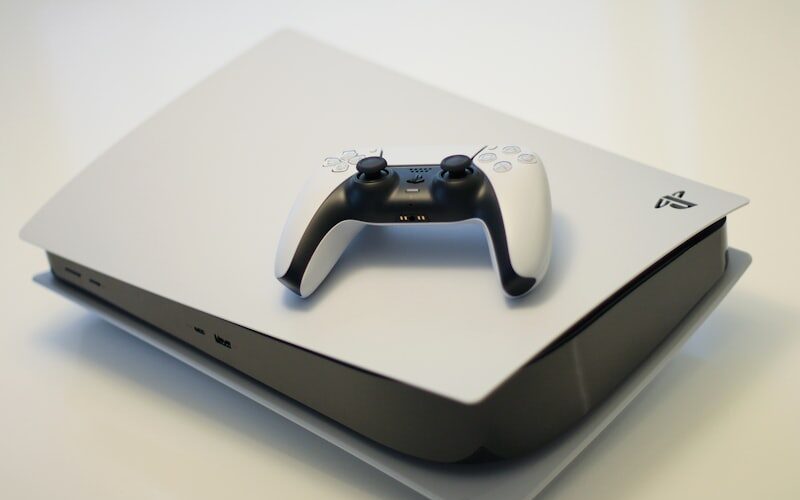
- PS5: Remove the circular face plate, locate the expansion slot, insert at a slight angle, secure with the included screw
- Xbox Series X/S: Use a small Phillips screwdriver to remove the back panel, locate the slot, insert, replace back panel
Both systems will automatically recognize the new drive on boot. Format it through the system settings and you're good to go.
The Budget Alternative: External SSD for Storage-Only
If you can't afford an internal SSD right now, here's a compromise that actually works:
Get a fast external SSD (USB 3.2 Gen 2 or better). Store games you're not actively playing on it. When you want to play GTA 6, move it to internal storage. It's not ideal, but it's better than deleting things last minute.
Note: You can play PS4 and older games directly from external SSD on PS5. The restriction only applies to PS5-optimized games.
What About PS5 Pro and Newer Xbox Models?
The upcoming PS5 Pro hardware upgrade and any future Xbox mid-generation refreshes will have the same fundamental storage architecture. If you invest in a good NVMe SSD now, it will work across current and next-generation hardware.
This actually makes the SSD upgrade one of the best value propositions you can make right now. It's not a GTA 6-specific purchase. It future-proofs your entire gaming setup.
Realistic Timeline: When Should You Buy?
GTA 6 is currently targeting Fall 2025. That gives you roughly a year to prepare. Here's a sensible timeline:
- Now – Q1 2025: Clean up your current storage. Delete games you haven't touched in months.
- Q1 2025: Buy your SSD. Prices tend to drop in Q1 anyway.
- Q2 2025: Install it. Test it. Make sure everything works before the chaos begins.
Don't wait until the week before launch. SSD prices spike during console launch windows. Every time.
The Bottom Line
GTA 6's storage requirements aren't speculation anymore, they're practically confirmed by the sheer scope of what Rockstar is building. Preparing now means you won't be scrambling on launch day trying to juggle 150GB of game data across a full internal drive.
The question isn't whether you need more storage. It's whether you'll have it ready when the game drops. And trust me, you want to be the person who boots up Vice City on day one without a single storage notification ruining the moment.




